The pager is now
in their pocket.
Wimo replaces pickup pagers with a QR code. Customers follow their order on their phone; your barista taps once when it's ready.
- No app to install
- No customer sign-up
- Works with your current cashier
- Arabic-first, built for Libya
Three steps. Zero hardware to buy.
Print one QR poster for the counter. That's the whole setup for your customers.
Customer scans the QR
After paying, they scan the poster and type the order number from their receipt.
Barista taps «Ready ✓»
The order appears on the counter tablet instantly. One tap when it's ready.
The phone turns green and rings
The customer sees «Your order is ready!» and comes to collect it. No shouting numbers.
From the counter to «your order is ready!»
What your customer sees at every step, and what your team does at the same moment. No app, no account, no pager.
- 1Orders and pays
- 2Scans the QR code
- 3Types the order number
- 4Waits freely
- 5«Your order is ready!»
- 6Collects — and tells you how it was
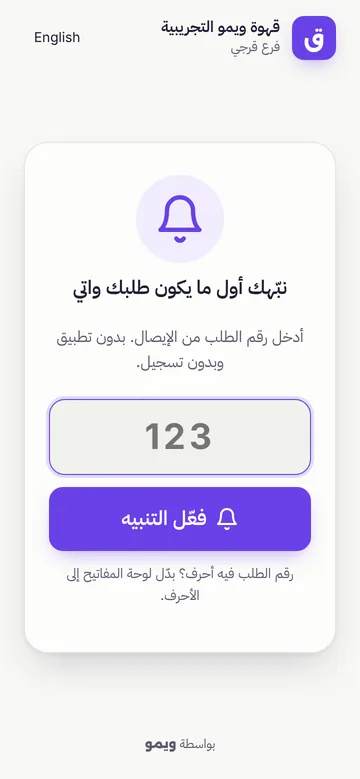
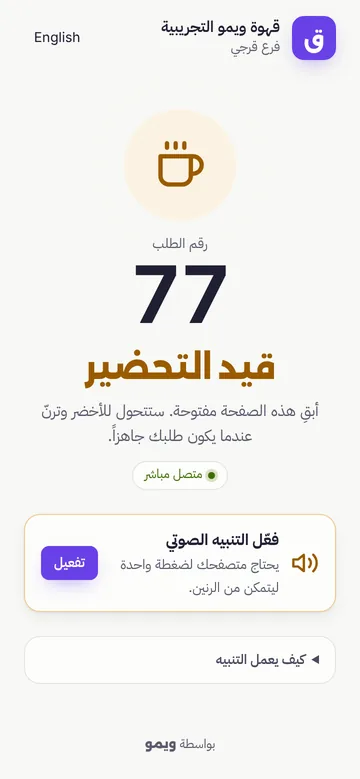
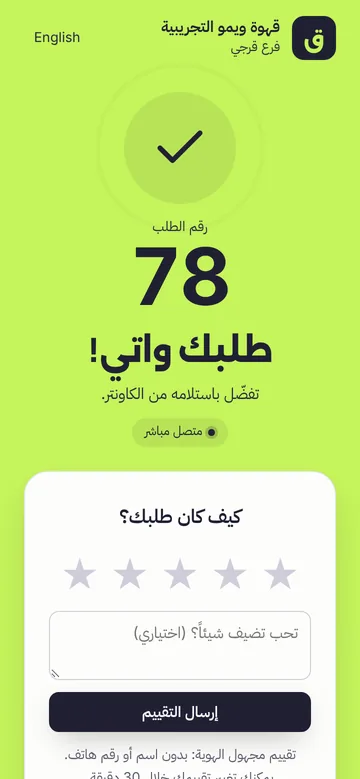
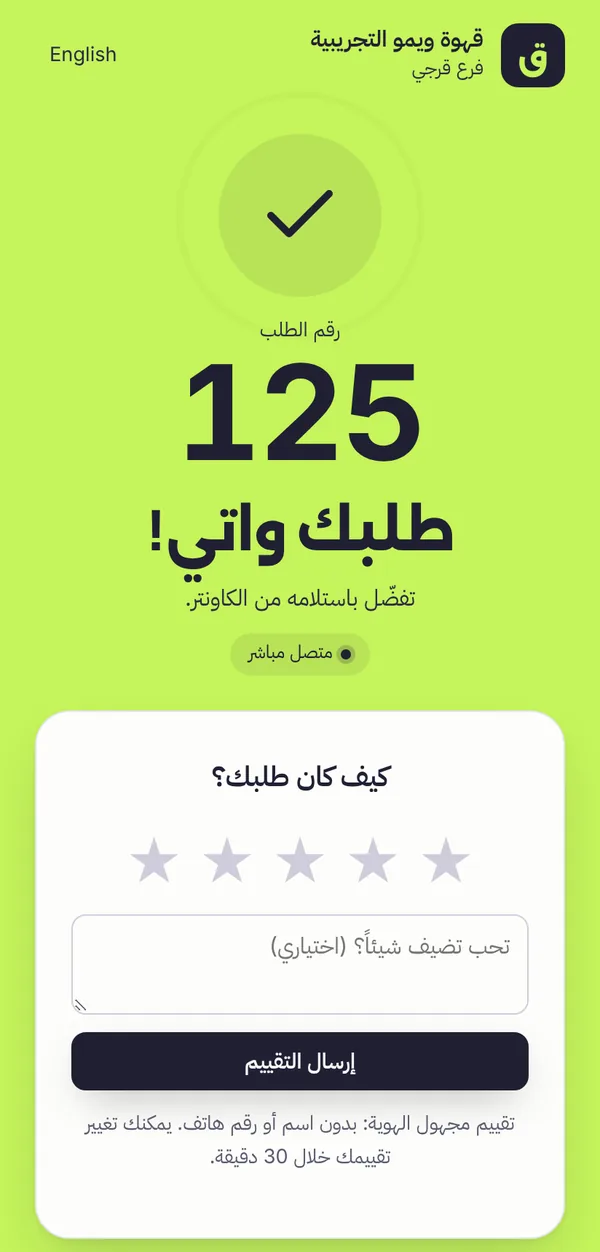
Designed for every person at the counter
Real screenshots of Wimo, shown with demo data.
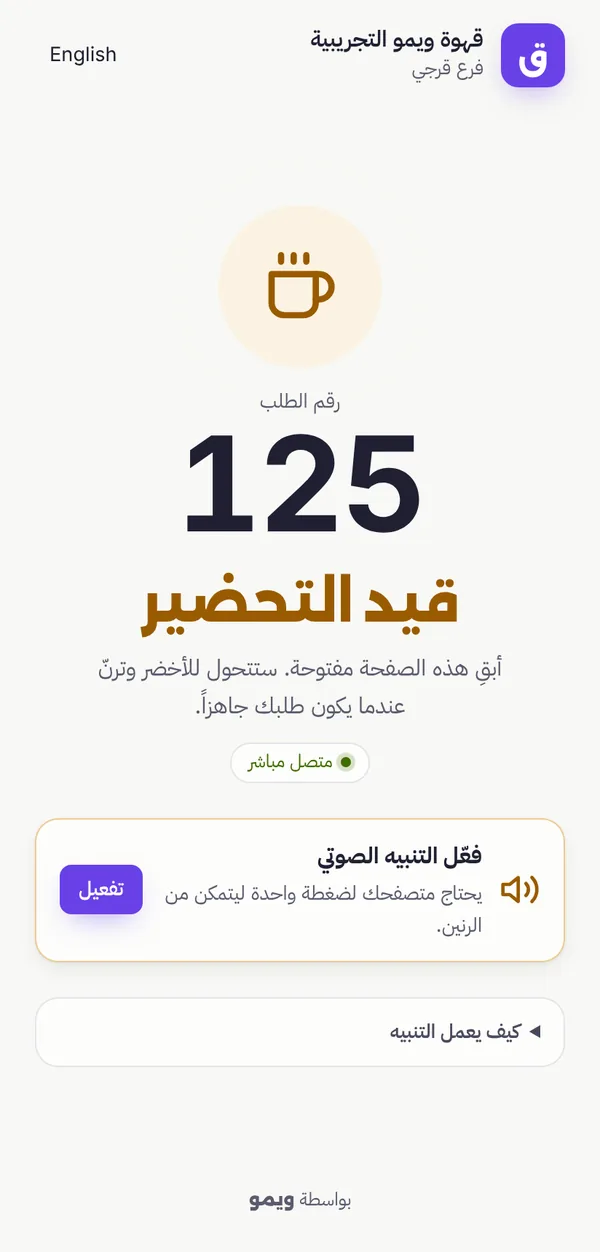
For your customers
A clean page in Arabic or English that works on any modern phone browser.
- Live status: preparing, then ready
- Sound, vibration and a green screen when ready
- Reconnects by itself if the internet drops
For your baristas
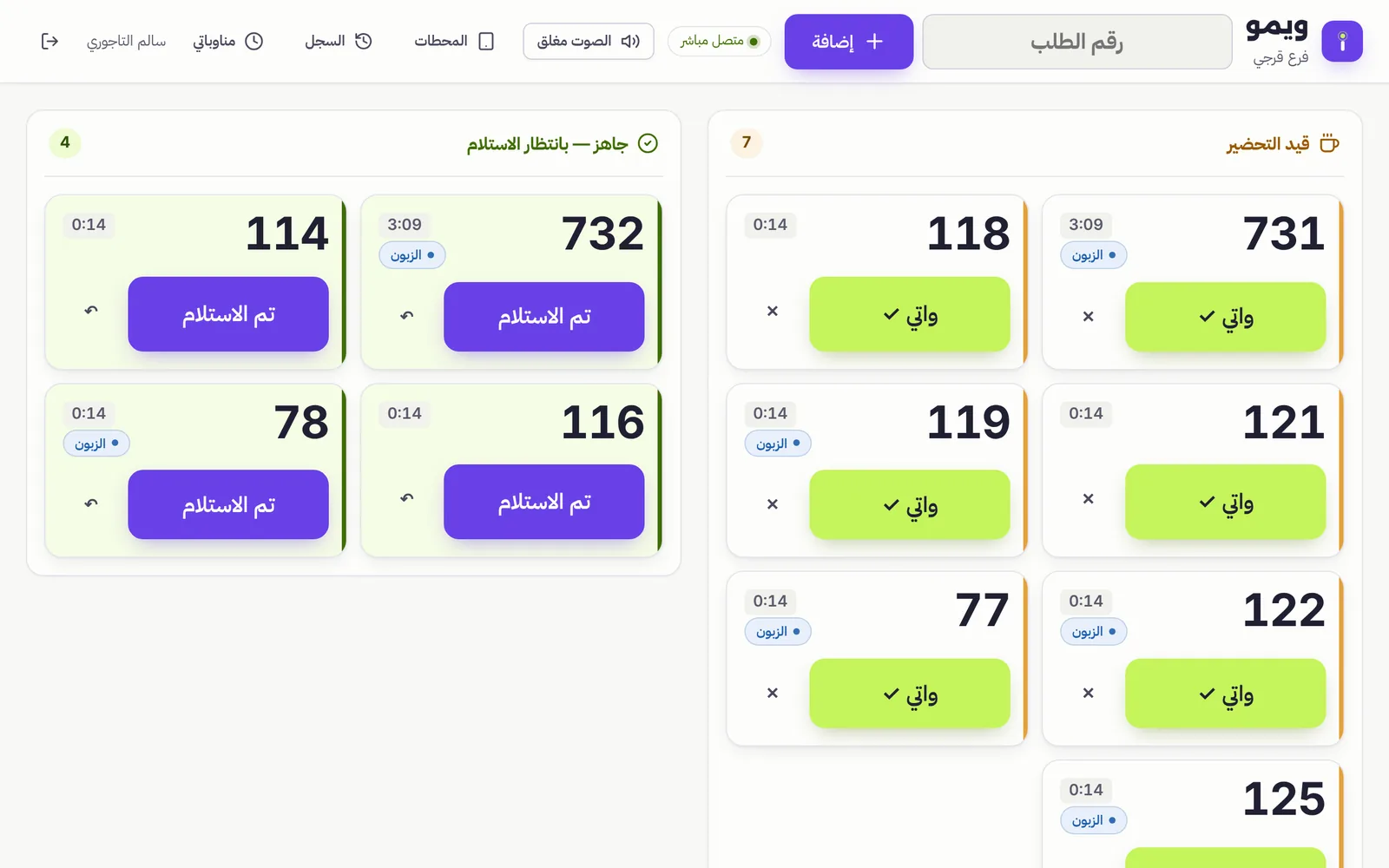
A touch-friendly live queue built for busy rush hours on a tablet.
- Big order numbers and preparation timers
- One tap to mark ready, one tap when collected
- Quick PIN sign-in on the café's own tablet
For café owners
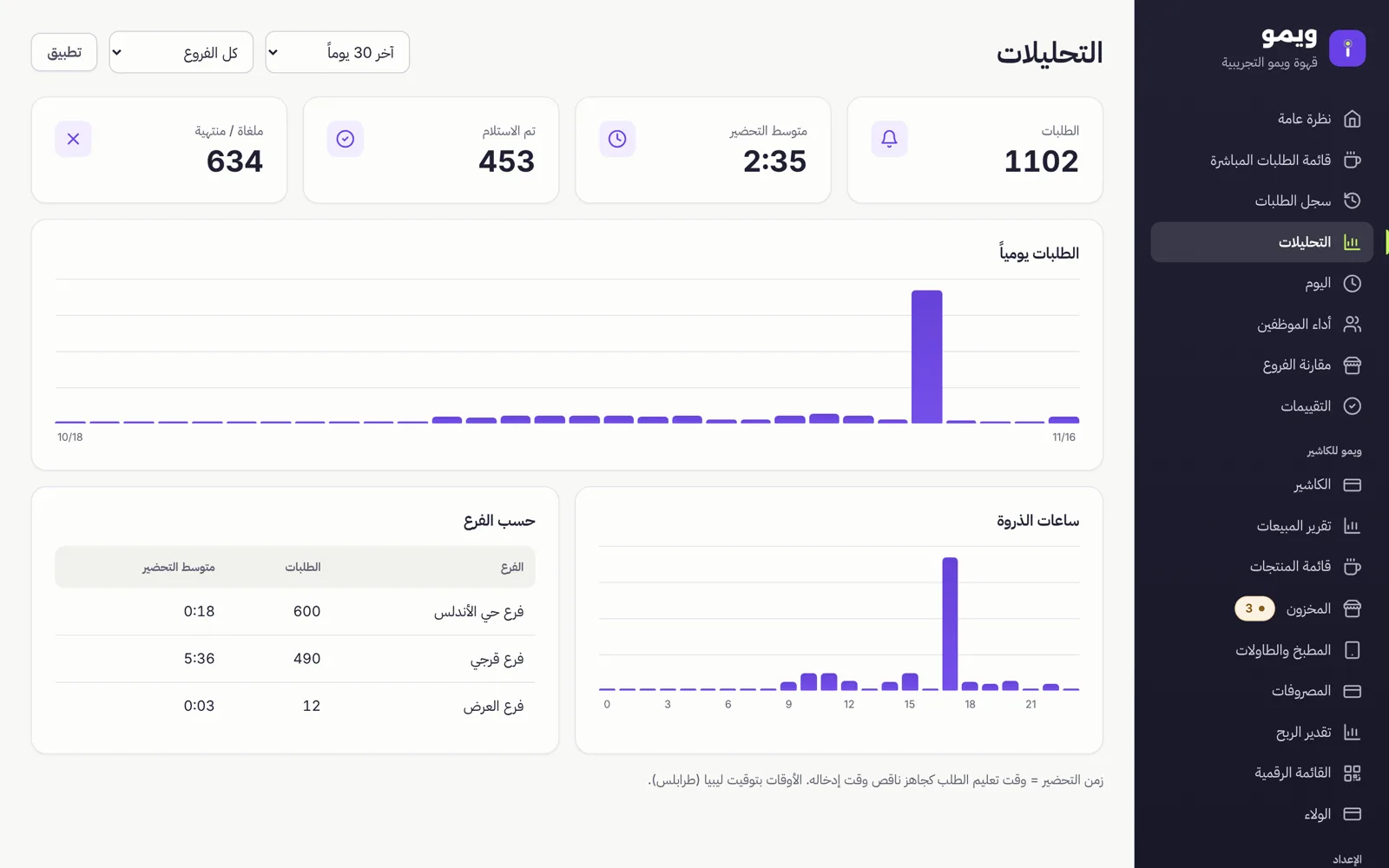
See how your counter performs, and manage branches and staff from one place.
- Orders per day, peak hours and average preparation time
- Branches, printable QR posters and staff PINs
- Each café's data is fully separated and private
Start with Notify. Grow into POS.
Upgrade any time and keep all your data, branches and staff.
Wimo Notify
Smart order-ready notifications for cafés that already have a cashier.
- QR order tracking for customers
- Live barista dashboard
- Branches, staff and device management
- Basic analytics
Wimo POS
A complete café cashier and management system.
- Everything in Notify
- Full touchscreen cashier and product catalog
- Inventory and shift management
- Financial reports
| Feature | Wimo Notify | Wimo POS |
|---|---|---|
| QR order tracking & alerts | ✓ | ✓ |
| Live barista queue | ✓ | ✓ |
| Branches, staff PINs and devices | ✓ | ✓ |
| Analytics | Basic | Full financial |
| Cashier & product catalog | — | ✓ |
| Inventory & recipes | — | ✓ |
| Shifts & cash reconciliation | — | ✓ |
| Kitchen & bar screens, tables, order from the table | — | ✓ |
| Counter TV screen, ratings | ✓ | ✓ |
| Digital menu, loyalty card | — | ✓ |
Compare with what pagers cost you · Download the information sheet
Wimo POS includes an offline mode for the till; we enable it for cafés after testing it on site. Prices are in Libyan dinars.
Frequently asked questions
Do customers need to install an app?
No. They scan the QR code with their camera and the page opens in the browser. No app and no account.
Do I need to change my current cashier?
No. Wimo Notify works next to any cashier or POS. Customers use the order number you already print.
Will the alert work if the phone is locked?
The alert is most reliable while the page stays open. If the phone is locked, the browser is in the background, the sound is muted or there's no internet, the alert may not arrive — we tell customers this clearly. Optional background notifications help on supported phones.
What happens when the internet is weak?
Both the customer page and the barista screen reconnect automatically and re-check the order status every few seconds, so they catch up as soon as the connection returns.
What hardware do I need?
Any tablet or phone with a modern browser for the counter, and a printer for the QR poster.
Is my café's data private?
Yes. Every café's data is isolated from other cafés, staff PINs are stored hashed, and staff sign in only on tablets you approve.
See Wimo in your café
Tell us about your café and we'll set up a free demo and send you a quote.
- No hardware to buy
- Arabic and English for customers and staff
- Upgrade to POS later without losing data